BehPunktDesign
From an idea to a finished embroidery file

Beh.Stitched

Make your own embroidery file from a picture or a vector file: load an image, trace it, or use the automatic digitizer, and get a machine file with stitches, colour changes and fill patterns, ready for your embroidery machine.

Download See the walkthrough

Ab 79 € · One-time purchase, no subscription

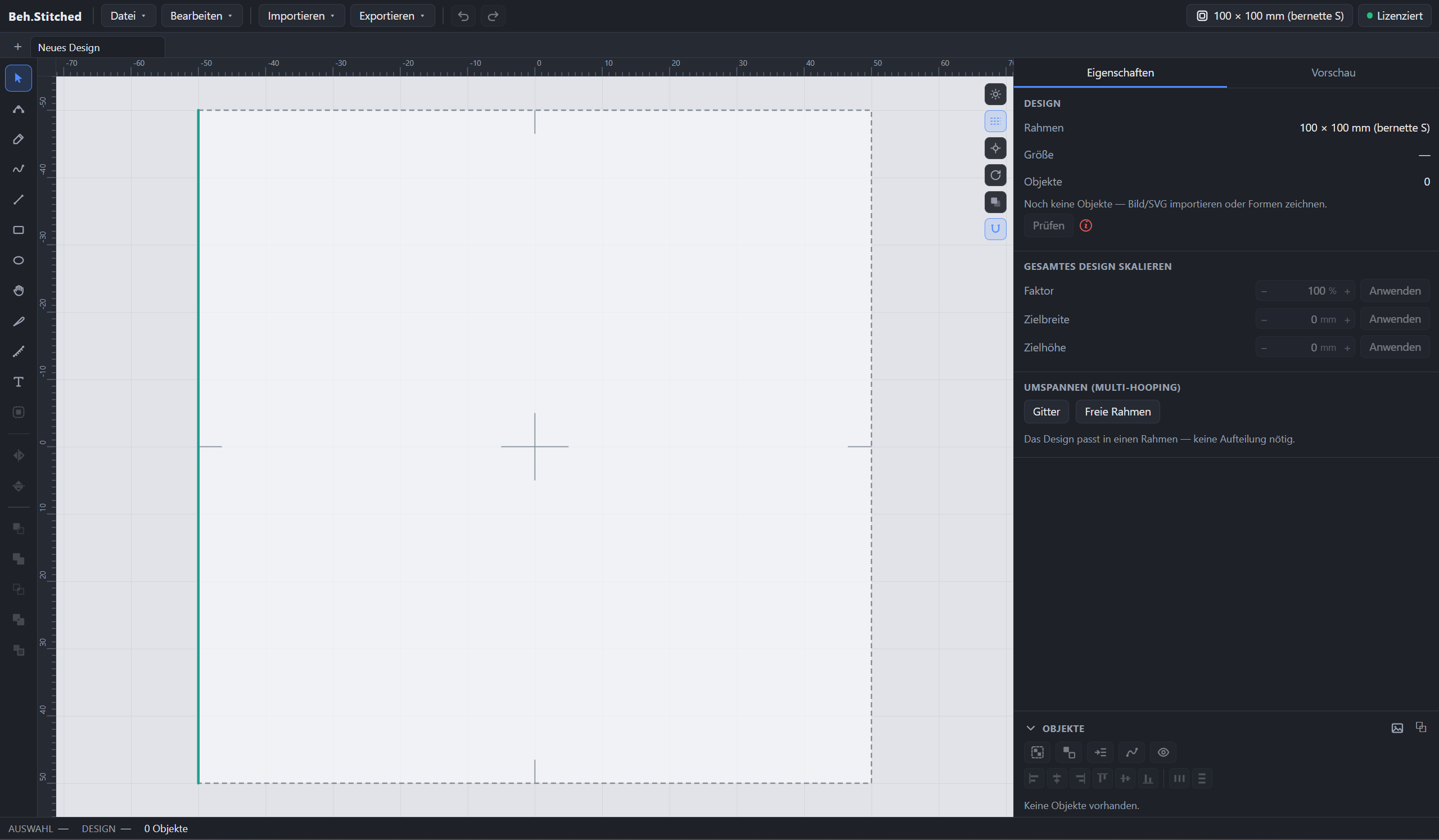
The Beh.Stitched window: tools on the left, hoop on the canvas in the middle, settings on the right.

Feature highlights

From picture to stitches

Load an image, split it into colour areas automatically, pick a stitch type per area.

Ten fill patterns

From tatami and meander to herringbone, plus satin and four running-stitch kinds.

Larger than the hoop

Multi-hooping splits large designs across several frames, with registration marks to line them up.

Also an embroidery-file editor

Open finished embroidery files, change colours and order, split or merge areas.

Lettering and your own fonts

Lettering as satin or fill, with your own fonts, along a path if you want.

Appliqué and patches

Appliqué with STOP commands, patches repeated on a grid.

All features in detail

Import and automatic digitizing

  • Import image files (PNG/JPG) or vector files (SVG and DXF)
  • The automatic digitizer finds outlines and a colour per area
  • Preview before conversion, with minimum area, simplification and smoothing

Stitch types and parameters

  • Fill stitch with ten patterns, plus its own stitch angle per area
  • Several fill angles inside one area, tipping from one into the next
  • Satin stitch and four running-stitch kinds: single, triple, hand and cross stitch
  • Appliqué and patches, with STOP commands at the right points

Vector editor

  • Classic vector editing: draw Bézier nodes, boolean operations
  • Align or distribute areas to the millimetre
  • Group objects and set the layer order
  • Repeat objects or groups along a path

Lettering tool

  • Lettering as satin or fill, with size, line spacing and tracking
  • Load your own TTF/OTF fonts
  • Put text on paths and curves

Hoops and multi-hooping

  • Preset hoop sizes or a free size in millimetres
  • Split large designs across several hoops automatically
  • Registration marks to line them up, and a re-hooping sequence: one file per hoop

Export and the program

  • Export as DST, EXP, PES, JEF, VP3, XXX and TAP, plus SVG and DXF
  • Printable colour card and worksheet
  • The same application on Windows, macOS and iPad; project files can be exchanged

Embroidery-file editor

  • Open finished embroidery files and edit them directly
  • Sort, split or merge areas, change colours and sewing order
  • Delete individual stitches
  • Add your own objects or lettering to the file

What does that look like in practice?

From a picture to an embroidery file, drawn by hand, or a finished file edited afterwards: a separate page shows all three ways step by step, and the manual that lives in the program.

See the walkthrough

Download

Without a licence you can try the whole program; only export needs a licence, machine files as well as SVG and DXF.

No account, no cloud, no usage analysis: Beh.Stitched calculates entirely on your device. Your designs do not leave it. The program goes online only to confirm the licence from time to time.

Windows

Version 1.0.9 · 22.5 MB · 13 Sep 2026

For Windows 10 and 11 (64-bit). Installs Beh.Stitched for your user account and does not need administrator rights.

Not signed yet: Windows reports an unknown publisher at start. Continue through “More info” and “Run anyway”. The checksum below tells you whether you really have my file.

Download for Windows

File name and checksum
File
Beh.Stitched_1.0.9_x64-setup.exe
SHA-256
9ac325b5d5e818daade045c4514a280726222cd27fb430b7a0a36e3c4605bd1e

The checksum is the file’s fingerprint: if you get the same string, the file arrived complete and was not changed on the way. If it differs, download again and do not install that copy.

Check it yourself on Windows (Command Prompt):
certutil -hashfile "%USERPROFILE%\Downloads\Beh.Stitched_1.0.9_x64-setup.exe" SHA256

macOS

Version 1.0.9 · 51.5 MB · 13 Sep 2026

Universal for Apple Silicon and Intel: one package for both, no choice when downloading.

Signed and notarized by Apple: macOS opens Beh.Stitched on first launch without a prompt. No right-click, no exception.

Download for macOS

File name and checksum
File
Beh.Stitched_1.0.9_universal.dmg
SHA-256
75b8377d03fe5a3ef1692be84e5696f666a5d7b5d85db9cca5d2772cb5be565b

The checksum is the file’s fingerprint: if you get the same string, the file arrived complete and was not changed on the way. If it differs, download again and do not install that copy.

Check it yourself on macOS (Terminal):
shasum -a 256 ~/Downloads/Beh.Stitched_1.0.9_universal.dmg

And on the iPad?

Beh.Stitched is on the iPad in the App Store. Drawing and preview work without a purchase; you buy export in the app as a personal or commercial licence. That purchase runs only on iPads, not on Windows or Mac.

Requires iPadOS 15 or later.

Open in the App Store

Which format your machine expects is in its manual. Always test a new file on a scrap first.

What changed in each release is in the version history (German).

Buy

Buy once, use the version you bought, with no running licence fee. Without a licence you can try the whole program; only export needs a licence, machine files as well as SVG and DXF.

The buttons below are for Windows and Mac only. The key you get there cannot be entered on the iPad. For the iPad you buy separately in the app through the App Store; that licence does not run on Windows or Mac. The two purchases are separate and not interchangeable. Open in the App Store

Prices include VAT. One-time purchase, no subscription, no follow-on fees.

The purchase on this page runs through Digistore24 (Digistore24 GmbH, Hildesheim) and is for Windows and Mac only. You get the invoice and licence key there. On the order form the two licences are called “Beh.Stitched Private” and “Beh.Stitched Business”. Enter the key in the desktop software under “Licence”. info@behpunktdesign.de

  • Personal licence on up to three devices, commercial licence on up to five, each within the same platform (Windows and Mac together, iPad on its own). You are commercial as soon as you earn money from the embroidery files or from goods embroidered with them.
  • Money-back: tell us within 14 days of purchase, full refund, no reason needed, once per customer.
What the licence actually covers
  • The personal licence is for private use and can be active on up to three devices at once; the commercial licence on up to five. The device count is per purchase: the Digistore purchase counts Windows and Mac devices, the App Store purchase counts iPads.
  • The embroidery files you create belong to you alone, with no credit obligation and no share of proceeds. Project files can move between Windows, Mac and iPad; the licence itself cannot.
  • On the iPad you buy the personal and commercial licences as in-app purchases in the App Store. There is no Digistore key there, and an App Store purchase cannot be redeemed on Windows or Mac.
  • The licence is confirmed online from time to time. Without a connection you keep working normally for a month; only then does export pause until confirmation succeeds again. Everything else and your designs are never affected.
  • On the refund: it applies worldwide and once per customer. With the refund the licence ends; embroidery files you already made stay yours. Your statutory rights stay untouched and cost you nothing. For an App Store purchase Apple handles the refund.

The licence terms apply.

Showing Beh.Stitched?

If you publish videos or posts about Beh.Stitched, a mention is welcome. You are never required to; your embroidery files are yours with no credit obligation. If you cover the program regularly, get in touch.

info@behpunktdesign.de Instagram: @beh.stitched